 ™
™
Setting up Grass on Android takes under two minutes and requires no root access or technical background. The Grass Android app is available on Google Play Store. Visit grass.io/download and tap the download button to open the Play Store listing, or search for "Grass" directly in the Play Store. The app turns your phone into a node, which refers to a device that shares unused internet bandwidth with the Grass network in exchange for Grass Points. Android nodes earn significantly more Grass Points than either the desktop app or the Chrome extension, making the mobile setup the highest-reward entry point into the Grass network.
Quick Answer
The Short Answer
Download the Grass app from Google Play Store or visit grass.io/download. Log in with a one-time password sent to your email, and grant the background activity permission when prompted. Your node starts automatically. No manual configuration is required, and the full install takes under two minutes on any standard Android device.
People often ask whether Grass works on Android at all - or whether it is worth setting up on a phone versus a desktop. Both questions have direct answers, and the setup itself is simpler than most people expect.
Grass is a decentralized bandwidth-sharing network. Running a Grass node means that your device - a phone, laptop, or desktop - shares a portion of its unused internet capacity with the Grass network while you are not actively using it. The app does not interrupt your browsing, streaming, or downloads. It uses only idle bandwidth that would otherwise go to waste.
On Android, the app is available directly from Google Play Store. Visit grass.io/download and tap the download button to go to the Play Store listing, or search for "Grass" in the Play Store app. Once installed and running, your Android device functions as an active Grass node, contributing bandwidth and accumulating Grass Points continuously.
There are a few things worth knowing before you download - about device compatibility, background permissions, and which sites are legitimate - so this guide covers all of them in order.
How Do You Actually Install the Grass App on Android?
Download the app from Google Play Store or visit grass.io/download to access the Play Store listing, allow the installation to complete, open the app, enter your email, and use the OTP sent to your inbox to log in. That is the whole process.
An analysis of multiple walkthroughs and community install threads shows the setup consistently takes under two minutes on a standard Android device - and, contrary to what some early posts suggested, no referral code or password is needed to download the app today. The official download page at grass.io/download is open access, as of .
Here is what I call the two-step install sequence - the exact path from blank phone
to running node:
1. Download the app. Visit grass.io/download and tap the download button to open the PlayStore listing, or search for "Grass" directly in the Google Play Store. Tap "Install" to download the official app.
2. Set up your account and grant background permission. Open the app and enter your email address. You do not create a password during setup. Grass sends a one-time password (OTP) to your email instead. After your first login, the app will request permission to run in the background. Grant it - without this, the node pauses whenever your screen turns off, which cuts into your Uptime Points. Optionally, disable battery optimization for Grass in your phone's Settings to keep the app running during low-battery events.
According to a YouTube walkthrough of the Android setup process, the app also offers an optional step: disabling battery optimization for Grass specifically. I would recommend doing this. It lets the operating system know not to put the app to sleep during low-battery events, which improves how long your node stays connected between charges.
The app is available directly from the Google Play Store, which handles verification and automatic updates.
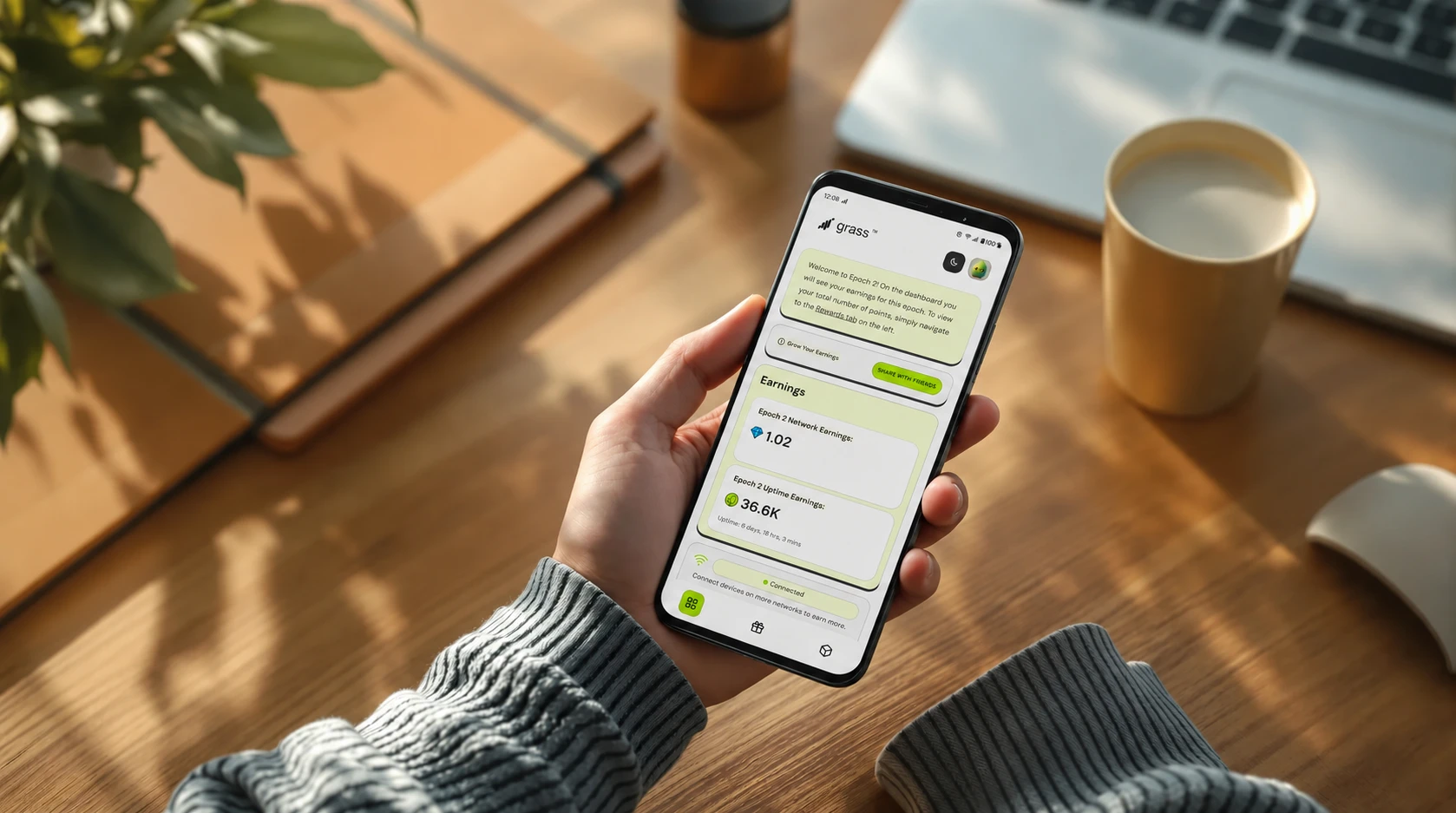
Once both steps are done, the node is running. The dashboard will show your points per epoch, your current tier, and your referral count. First points typically appear within a few hours of the node staying connected.
Once installation is complete, the Grass app begins sharing your unused bandwidth immediately - the consent for this is part of the install process itself, so there is no separate step to approve it afterward. To connect the points your node accumulates to your account, create a Grass account: this links your Grass Points to your email login and lets you track them anytime in the Grass Dashboard. Sharing preferences stay fully in your control, and you can pause bandwidth sharing at any time from within the app.
Why Does Android Earn More Grass Points Than Desktop or the Chrome Extension?
In Stage 2, our reward structure gave Android app users a 10x Network Points bonus and a 3x Uptime Points bonus - double the Network Points multiplier available to desktop app users, and far above the Chrome extension's standard rate.
The gap is substantial. Here is what the multiplier structure looked like across device types:
| Device / App | Network Points Bonus | Uptime Points Bonus |
|---|---|---|
| Android app | 10x | 3x |
| Desktop app | 5x | 2x |
| Chrome extension | 1x (standard rate) | 1x (standard rate) |
The takeaway: an Android node earns twice the Network Points of a desktop node for the same uptime. The Chrome extension, at the standard rate, earns a fraction of either.
What this means in practice is that the device you run Grass on matters at least as much as how long you run it. Two nodes running the same hours will accumulate very different point totals depending on which app they use. The Android multiplier exists because mobile adds a genuinely different resource to the network - cellular data connectivity that a browser extension sitting on a home Wi-Fi desktop cannot provide.
According to community discussion on r/passive_income, users running the Chrome extension have reported meaningful point accumulation over weeks and months. The contrast with Android multipliers makes the mobile app the more efficient path for anyone who can run it reliably.
There is one honest caveat. Higher multipliers only pay off if the node stays connected. An Android node that disconnects every day and needs a manual restart is not accumulating at its full 10x/3x rate for those idle hours. In practice, this means the Android advantage is real but conditional on stable uptime - which is why the troubleshooting section later in this guide matters as much as the setup steps themselves.
For users already running the Chrome extension, adding the Android app does not replace what they have. Both run simultaneously. The two multipliers stack independently.
What Are the Known Issues With the Grass Android App?
Intermittent disconnections
According to reports from the r/Grass_io subreddit, the Android app has a pattern of disconnecting every day or every two days and not automatically reconnecting. When that happens, the dashboard on the desktop version may still show an active status for several hours - which makes the disconnect harder to notice. The practical fix is to open the app manually, check the status, and restart it if needed.
The most reliable workaround, shared by community members, is a three-step sequence: switch your login method to password-plus-OTP instead of any social login, turn on a VPN briefly to complete the login, then turn the VPN off and restart the app. The takeaway: this is a connection handshake issue, not a hardware one. Most devices respond to this fix.
The app is now available on the Google Play Store with automatic updates enabled. This ensures you always have the latest version with the most recent bug fixes and stability improvements.
Managed device install restrictions
If your phone is enrolled in a corporate Mobile Device Management (MDM) system—common on employer-issued or dual-profile devices—work-profile restrictions may prevent installation from Google Play Store. Contact your organization's IT administrator for approval to install apps from Google Play. For personal Android devices, Play Store installation works on any standard phone.
Neither issue affects most standard consumer Android devices. But going in with accurate expectations makes troubleshooting faster if something does come up.
How Do You Know a Grass Site Is Legitimate and Not a Scam?
The only legitimate Grass website is grass.io. Everything else - any domain that looks similar but uses a different URL - should be treated as fraudulent until confirmed otherwise.
Grass's growth as a network has made it a target for impersonation. Multiple fake domains have been documented in the wild, each designed to look enough like the real thing that a user in a hurry would not notice the difference. The mechanics are the same across all of them: connect your crypto wallet, approve what appears to be a routine transaction, and the drainer quietly transfers your holdings to a wallet controlled by the scammer. Blockchain transactions are irreversible. There is no dispute process and no recovery path.
According to the security advisory site PCrisk, three fake domains specifically impersonating Grass have been identified: grass-airdrop[.]sbs, airdrop-grass[.]info, and checker-grass[.]network. A fourth, vote-getgrass[.]app, was documented separately - it presents as a "Grass Vote Rewards" page with a "Rewards Event Live" banner, a claim of "8.5M+ Grass users worldwide," and a "Vote Now" button that opens a wallet connection prompt. The site lists over 540 wallet options, including MetaMask, Trust Wallet, and Zerion. None of these are affiliated with grass.io.
The takeaway: a page that tells you to connect a wallet to claim a reward or vote on a proposal is not how Grass actually distributes rewards. Real Grass Points accumulate automatically as your node runs. No wallet connection is required during setup.
According to PCrisk's research, the Federal Trade Commission (FTC) reported that since the start of 2021, more than 46,000 people have reported losing over $1 billion in crypto to scams - about one in every four dollars reported lost across all fraud categories. Crypto scams have become the leading payment method for reported losses. In this environment, an app with the name recognition and community size of Grass is a natural target for copycat sites.
What this means in practice: if you are searching for the Grass app and you land on a page asking you to connect a wallet before downloading anything, leave immediately. The Grass Android app comes from Google Play Store or grass.io/download. No wallet connection is required to run a node or earn Grass Points.
The simpler the rule, the harder it is to forget: grass.io is the only domain that matters.
What Should You Expect After Your Grass Android Node Goes Live?
Once the app is running, your node starts contributing bandwidth and accumulating Grass Points automatically. No further configuration is needed. The dashboard shows your progress in real time.
Here is how the accumulation actually works. Grass operates on an epoch-based structure. Your node earns two types of points while it stays connected: Network Points (based on the bandwidth you contribute) and Uptime Points (based on how long you stay connected). Both accrue in the background. You do not need to interact with the app for points to accumulate - you only need to check it periodically to confirm the connection is still active.
According to the announcement on the r/Grass_io subreddit when the Android app first launched, this was an early alpha release, and Grass explicitly described it as a phase for gathering feedback before a broader rollout. The phrasing from the post read: "This version is still in development, and your feedback will help us refine the experience before a broader release." The takeaway: the Android app is genuinely useful and earns points, but it is also still being actively developed. Stability improvements continue to come through version updates.
On the rewards side, Grass Points convert to Grass tokens at the end of each stage in the program's reward cycle. The conversion is not instant - points stack up over weeks and months, then the distribution happens when the stage closes. Community members on r/Grass_io describe the structure as earn-now, distribute-later, which is accurate. The specific conversion rate varies based on your epoch participation, referral tier, and total network contribution relative to other nodes.
In practice, I would set one reminder per day to open the app and confirm your status shows "connected." That is the single most effective habit for maintaining consistent uptime. A node that goes unnoticed in a disconnected state for 48 hours accumulates nothing for those two days.
According to a community install thread on Reddit, the purpose of running Grass on Android is specifically to utilize cellular data as a node resource - a different type of network contribution than what a home Wi-Fi desktop offers. That distinction matters because it means an Android node on cellular and a desktop node on Wi-Fi are contributing different things to the network. Running both simultaneously is not redundant.
Without Background Activity Permission
- Node disconnects the moment you close the Grass app
- Uptime Points stop accumulating when the screen turns off
- No bandwidth contribution while device is idle
- Status resets to "connecting..." on every app reopen
With Background Activity Enabled
- Node stays connected after you close the app
- Points accumulate continuously, including overnight
- Bandwidth contribution continues while device idles or charges
- Higher effective uptime - directly proportional to more Grass Points earned
The permission takes under 30 seconds to grant. It is the single setting that makes the difference between a node that earns while you sleep and one that only earns while the app is open on your screen.
Note: Background activity permission is requested automatically when you first open the Grass app after installation from Google Play Store.
What Will Matter Most for Grass Android Users Over the Next 12-24 Months?
The three trends that will most affect Android node operators are: continued reward multiplier advantages for mobile, persistent connection reliability issues that slow mainstream adoption, and a growing scam ecosystem targeting Grass users searching for download links.
| Signal | What to watch for | Why it matters to you |
|---|---|---|
| Reward multipliers will keep favoring Android | According to the r/Grass_io community announcement when the Android alpha launched, the app rolled out to just 50 early access users before broader release - indicating Grass is deliberately expanding mobile rewards as user adoption grows. | The higher point multipliers for Android versus desktop or Chrome extension are a deliberate design choice, not a temporary bonus. Sticking with the Android app is likely to keep paying more per unit of uptime. |
| Connection reliability will remain an issue | Community reports of daily or every-other-day disconnects have been present in earlier versions. The app is now available on Google Play Store with automatic updates enabled, which should improve stability as fixes are deployed. | With Play Store availability and automatic updates, stability issues are being addressed more quickly. Building a daily check-in habit remains the practical safeguard while the app matures. |
| Scam sites will multiply alongside Grass growth | Multiple fraudulent domains impersonating Grass have already been identified - fake voting pages, airdrop sites, and wallet-check tools. As the network grows, new impersonation domains tend to follow user attention. | Always verify the URL reads grass.io before taking any action. Bookmark the official site directly. A moment of checking takes less time than recovering from a compromised wallet. |
What most people running a Grass node miss is that the reward multiplier advantage for Android is real and persistent - but it only pays off if your node stays connected. The gap between what Android could earn and what it actually earns for most users comes down entirely to uptime consistency, not the multiplier rate itself.
Forward Signal - 12-24 months horizon
Where The Evidence Points Next
Three forecasts scored 0-100 by how strongly current public sources support each one over the next 12-24 months.
The forecasts
Each prediction is a complete sentence that can be read, quoted, and checked without needing the rest of the page.
As bandwidth-sharing and crypto-reward apps attract more users, fraudulent copycat sites impersonating them will keep appearing, consistent with FTC figures showing over 46,000 reported crypto scam cases and more than $1 billion in losses since 2021 - about one in every four dollars reported lost across all payment methods.
Over the next 12-24 months, bandwidth-sharing platforms will continue paying meaningfully higher point multipliers for Android app users than for desktop apps or browser extensions, following a structure that gave Android app users 10x Network Points and 3x Uptime Points versus 5x/2x for desktop apps and standard rates for the extension, with mobile access expanding from limited invite codes toward open signup.
Despite richer mobile rewards, a persistent minority of users will avoid or abandon the Android app over the next 12-24 months because of recurring disconnects and installs blocked outright on managed devices, keeping the extension as the more reliable option for steady earnings.
Weak signals watched: Early Android access was gated behind a batch of 50 invite codes distributed on Reddit before wider release, and video walkthroughs already show 3x point bonuses being paid out for completing Android setup. Users report the Android app disconnecting every day or two, and one install blocked entirely on a Samsung S22 Ultra by a work-profile restriction requiring IT administrator approval. Multiple fake domains have already been identified impersonating the same platform through fraudulent voting and airdrop pages designed to drain connected wallets, separate from a UK case where a gang was jailed for stealing $5.4 million in crypto by posing as police.
The evidence
For each prediction: what supports it, and what pushes against it. Both sides are shown for every forecast.
- Grass Vote Rewards Scam - Removal and recovery steps - PCrisk.com supports this forecast. [Industry Publication]
- Grass Airdrop Scam - Removal and recovery steps (updated) supports this forecast. [Industry Publication]
- UK gang who posed as cops to steal $5.4M in crypto jailed supports this forecast. [Industry Publication]
- Android app is here! is the clearest counter-signal. [Community / Forum]
- Android app is here! supports this forecast. [Community / Forum]
- How to set up GRASS on mobile for 3X rewards. supports this forecast. [Video]
- How to Install the Grass Mobile App for Android Phones supports this forecast. [Video]
- Is the “Grass” app on Solana Saga safe to use? is the clearest counter-signal. [Community / Forum]
- Grass at Android not working is the clearest counter-signal. [Community / Forum]
- New code supports this forecast. [Community / Forum]
- GRASS since Epoch 3 started won't work for me anymore supports this forecast. [Community / Forum]
- Grass at Android not working supports this forecast. [Community / Forum]
- How to Install the Grass Mobile App for Android Phones is the clearest counter-signal. [Video]
Where we could be wrong
These forecasts assume current trends continue. The scenarios below would meaningfully change them.
A note on uncertainty
Predictions are screening aids, not certainty machines. The strongest signal here (95/100) still has counter-evidence, and the contrarian signal (78/100) reflects real disagreement among sources.
- If the Play Store release combined with stability improvements reduces disconnect reports faster than expected, mainstream adoption could accelerate beyond current projections.
- If a confirmed security breach or fund loss tied to the legitimate app itself, rather than to copycat phishing sites, would instead suppress adoption industry-wide.
Key Takeaways
Key Takeaways
- Download from grass.io/download or Google Play Store - both link to the official app. Search for "Grass" in the Play Store or visit grass.io/download and tap download to open the listing.
- Enable background activity permission after install - without it, your node stops earning the moment you close the app.
- Check connection status daily - a disconnected node earns nothing; one 10-second check keeps your uptime consistent.
- Android earns more Grass Points than desktop or Chrome extension - the higher multiplier rewards make mobile setup the better option.
- Grass.io is the only legitimate domain - bookmark it and verify the URL before any account or wallet action.
The Grass Android app is the highest-reward way to run a node, and the setup steps that feel intimidating - installing from Google Play Store, enabling background activity - are each a one-time action that takes under a minute. Once you clear them, the node runs itself.
From what I have seen, the users who get the least out of Grass on Android are the ones who install it, check the dashboard once, and never look at it again. A node that silently disconnects and stays disconnected for three days earns nothing for those three days. The single most valuable habit is a daily 10-second check that the status still reads "connected."
Download from grass.io/download, enable background activity, and let the app run. That is the whole setup. Everything else in this guide is context for when something goes sideways - and now you have that too.
If you are ready to start, the Grass Android app is at grass.io/download. The setup guide above covers every step from download to first connection - most users are running a live node within two minutes of starting the install.
Frequently Asked Questions
No. The Grass Android app installs on any standard Android device without root. Root access is not required at any point during setup or operation.
The app downloads from Google Play Store and requires an internet connection (Wi-Fi or mobile data) for the initial install. After installation, the app can run on mobile data or Wi-Fi. For regular node operation, I would recommend Wi-Fi to preserve your mobile data allowance. For most users, Wi-Fi is the practical choice for sustained uptime.
Yes. Running both simultaneously is supported. Each device registers as a separate node and contributes independently. An Android node on cellular and a desktop node on Wi-Fi are contributing different network capacity - they do not compete or duplicate each other.
Open the Grass app and check the dashboard. It shows your current connection status and your cumulative Grass Points. Grass Points are the reward units that accumulate during uptime and convert to tokens at the end of each reward stage.
It should not be noticeable during normal use. The app uses only idle bandwidth - the capacity your phone is not actively using at that moment. During a video call, a large download, or mobile gaming, your device's active traffic takes priority.
Written by
Theo Brandt
Network & Product Writer
Theo Brandt writes about how Grass actually works - how the network puts your unused bandwidth to use, how the desktop, mobile, and browser apps differ, and how to get a stable, high-performing setup.
Follow on XSummarize This Article With AI
Open this article in your preferred AI engine for an instant summary.