 ™
™
Quick Answer
Yes, Grass is designed to be safe on a personal device. A node means the device running the app, and it shares only unused internet bandwidth so the Grass network can gather public web data for verified institutions.
The app never accesses personal files, browsing history, passwords or accounts. Data is encrypted in transit, the app holds AppEsteem certification, and you can pause or remove it anytime. Grass Points record only uptime and bandwidth actually used. Download it only from grass.io. A similarly named iPhone app, Touch Grass, is unrelated.
Here is the conclusion up front. Grass touches one resource, the unused bandwidth on your connection, and the documented risks sit outside the app: lookalike downloads and the question of who is allowed to use the network. Everything below tests that claim with the two-column test, a simple method I use for any app: list what it is built to use, list what it has no route to, then check whether the evidence fills both columns.
The reward system is a useful clue. Grass measures contribution in Grass Points, split into Network Points, recorded when a node's bandwidth is actually used, and Uptime Points, recorded for staying reliably connected. Points are an in-app measure of contribution, not a currency. Notice what is missing from that list. Nothing in it counts what you browse, type or store.
Before any of that, make sure you are researching the right app. A viral screen-time tool called Touch Grass shows up in the same searches. It links to Apple Screen Time, asks for camera and location access, and was downloaded about 50,000 times within days of its March 2025 launch. According to WRDW, it was still iPhone-only in July 2025 while its developer built an Android version. Grass is close to the opposite. It runs on Windows, Mac, Linux and Android, with no iOS app. If an app you found needs your camera, it is not this one.
The rest of this guide follows the order a skeptical reader needs. First, what the app touches and never touches. Next, every permission it requests, including the one that looks alarming. Then, how to confirm your download is genuine, and who stands behind the network: Grass OpCo Ltd. as the legal entity, the Grass Foundation, and Wynd Labs as a service provider rather than an owner.
Key Points
- Grass shares only unused bandwidth and never accesses files, browsing history, passwords or accounts; its Google Play declaration states data is encrypted in transit.
- A 2024 independent review found the extension requested the right to modify data on all visited websites, which lets it route public web requests in the background.
- A December 2024 r/CryptoIndia thread showed a fake "get grass" site draining a wallet through one approval, so download only from grass.io and never share a seed phrase.
Reassurance is cheap, and a skeptical reader is right to discount it. I've spent years writing about everyday consumer tech, and the claims that hold up are the ones you can check against something concrete: a permission prompt, a publisher name, a named entity with a registered address. This guide tests Grass against exactly those things.
Start with a naming problem most safety guides skip. According to WRDW, "touch grass" is internet slang for someone who needs to get back to reality, and the phrase now names more than one app. A search for a Grass safety answer can surface unrelated screen-time tools with their own permissions and their own privacy labels. One such App Store listing declares that no data is collected, while the store itself notes it has not verified that claim. What this means is simple. A label is a claim, not a check.
Grass is a different kind of product entirely. A node is the device running the app. It shares only the unused bandwidth on your connection so verified institutions can gather public web data, and you can pause it whenever you like.
Below, I walk through four things in order: what the app touches, every permission it requests, how to confirm your download is genuine, and who stands behind it. Each claim comes with its source and its date. That way you can weigh the evidence yourself.
Questions this article answers
What does Grass access on your device, and what does it never touch?
The app uses one thing: the unused portion of your internet connection. It never accesses your personal files, browsing history, passwords or accounts, and personal activity stays separate from network traffic.
A practical way to judge any app like this is the two-column test: write down what the app is built to use, write down what it has no route to, then check whether the evidence fills both columns. An analysis of 3 sources shows the same boundary. Grass's own privacy scope, a 2024 interview with a Wynd Labs co-founder and a 2026 analyst write-up all describe one job: carrying requests for public web data over spare connection capacity.
Two terms matter here. A node is the device running the app - your laptop or phone. Unused bandwidth is the capacity you're not using right now. And you almost never use all of it at once: even while streaming, downloading, or on a call, there's usually spare capacity left over, and that's the part Grass uses. If you ever do need the full connection, Grass steps aside so your activity comes first.
Think of it like a friend using your Wi-Fi. They share the connection, but they cannot open your laptop, read your messages or see which sites you visit. That is the relationship the app is designed around.
According to Andrej, CEO and co-founder of Wynd Labs, speaking to WuBlockchain in 2024, a device running the app "acts as a node, simply routing the web request." He said the only data being accessed comes from the internet, not from the device itself. He was also candid that the node uses "a little bit of CPU and bandwidth," which is true of any program left running.
| What the app uses | What it never touches |
|---|---|
| The unused portion of your internet connection | Personal files and photos |
| A small amount of processing power to route requests | Browsing history |
| Public web requests from verified buyers | Passwords |
| Connection status, used to record uptime | Your online accounts |
A common misconception is that sharing a connection means sharing what happens on it. The reality is narrower. Your personal activity is structurally separate from the network's public web traffic.
The reward system reflects the same boundary. Contribution is measured in Grass Points: Network Points when a node's bandwidth is actually used, and Uptime Points for staying reliably connected. Neither kind records what you browse, type or store. Points are an in-app measure of contribution, not a currency.
The other side of the connection is vetted too. According to Chris Kim's 2026 analysis on Substack, every buyer must pass Know Your Business (KYB) or Know Your Customer (KYC) verification, meaning an identity check on the organization or person, and contributions are accessible only to verified clients. What this means is simple. The requests passing through a node come from checked organizations seeking public pages.
In practice, the app's reach ends at spare capacity. The takeaway is to hold every later claim against those two columns. The next test is whether the permissions it requests match that narrow job.
What permissions does Grass ask for, and why does it need each one?
The browser extension asks to read and change data on all websites. That broad permission lets it route public web requests; it does not open stored browsing data.
This is the permission that stops most people, and it deserves a straight answer rather than a skip. The stated scope is narrow, yet the install prompt reads broad. That gap is exactly where skepticism belongs, so I'd rather walk through it line by line.
According to a January 2024 thread on the r/Grass_io subreddit, one user put the worry plainly, asking why a bandwidth tool needs "read and write access to all of my websites." The same user reported that the extension "doesn't work if I disable this." A 2024 independent review confirmed the first point: the extension requested the right to modify data on all visited websites, and the store listing offered no detailed explanation.
The most plausible explanation is operational. An extension that routes web requests in the background has to be allowed to send and handle requests to whatever public site a verified buyer asks for, and those sites change constantly. The same review judged the permission likely necessary for background operation. The developers also stated that the extension has no access to stored browser information, history or other browser data, and that request processing runs in the background, isolated from your own session.
In my view, the honest summary is this: the permission is broad because the job is open-ended, not because the extension reads your pages. If it still bothers you, the desktop app runs outside the browser, so browser site permissions do not apply to it.
| Permission or data type | Where it appears | What it allows | Most likely reason |
|---|---|---|---|
| Read and change data on all websites | Browser extension install prompt | Sending and handling web requests to any site | Routing public web requests in the background |
| Location | Google Play declaration; 2024 Chrome listing | Knowing roughly where a node connects from | Matching public web requests to a region |
| Personal info | Google Play declaration | Details linked to your account | Creating and managing your account |
| Device or other IDs | Google Play declaration | Telling one device from another | Recording which node is connected |
According to the Google Play listing, the developer declares that the app "may collect these data types: Location, Personal info, and Device or other IDs." The same listing states: "Grass cannot see your private data or online activity, only the unused part of your connection is shared." Google Play also notes that this Data safety information is provided by the developer. What this means is plain. A store label tells you what a developer says, not what anyone verified. On Android, you can review the app's permissions in your phone's app settings before and after installing.
So who has checked the claims? The answer depends on the date. The 2024 review described the extension as closed source and not yet security audited, so confidence rested on developer assurances. Later in 2024, the co-founder said the app had completed audits with three different groups, with one published on its website. The app now also holds AppEsteem certification. AppEsteem is an independent program that certifies consumer apps against standards for deceptive or unwanted behavior. The evidence reviewed here does not list its full checklist, so I'd recommend looking up the certification on AppEsteem's own site rather than taking any summary on faith, including this one.
In practice, the permission prompt is the one fact you can check before installing. The takeaway is simple: compare each permission against the app's stated job.
How can you tell you're installing the real Grass, and who is behind it?
Download only from grass.io. The app is published by the Grass Foundation, the legal entity is Grass OpCo Ltd., and Wynd Labs provides services to the network without owning it.
Even a well-scoped app is only as safe as the copy you install. The honest weak point here is not the app itself but impersonation of its name. The product was previously called GetGrass, and that older name is what lookalike sites tend to borrow.
According to a December 2024 thread on r/CryptoIndia, one user clicked a promoted "get grass" ad, was asked to select a wallet, and approved a prompt they recalled as "get grass is requesting permission to get ur wallet details." The user said they never typed a wallet address, email or password. The approval alone was enough to drain the wallet. A commenter who appeared to moderate the subreddit wrote: "Banned at least 20 accounts promoting that scam." Other commenters described the real project as legitimate and the site as a fake clone.
What this means is specific. The risk sat entirely outside the official app, in a single approval on a lookalike page.
A five-step check before you install
- Start at grass.io. Type the address yourself and use the download links there. Skip ads, sponsored posts and direct messages that offer a download or a reward claim.
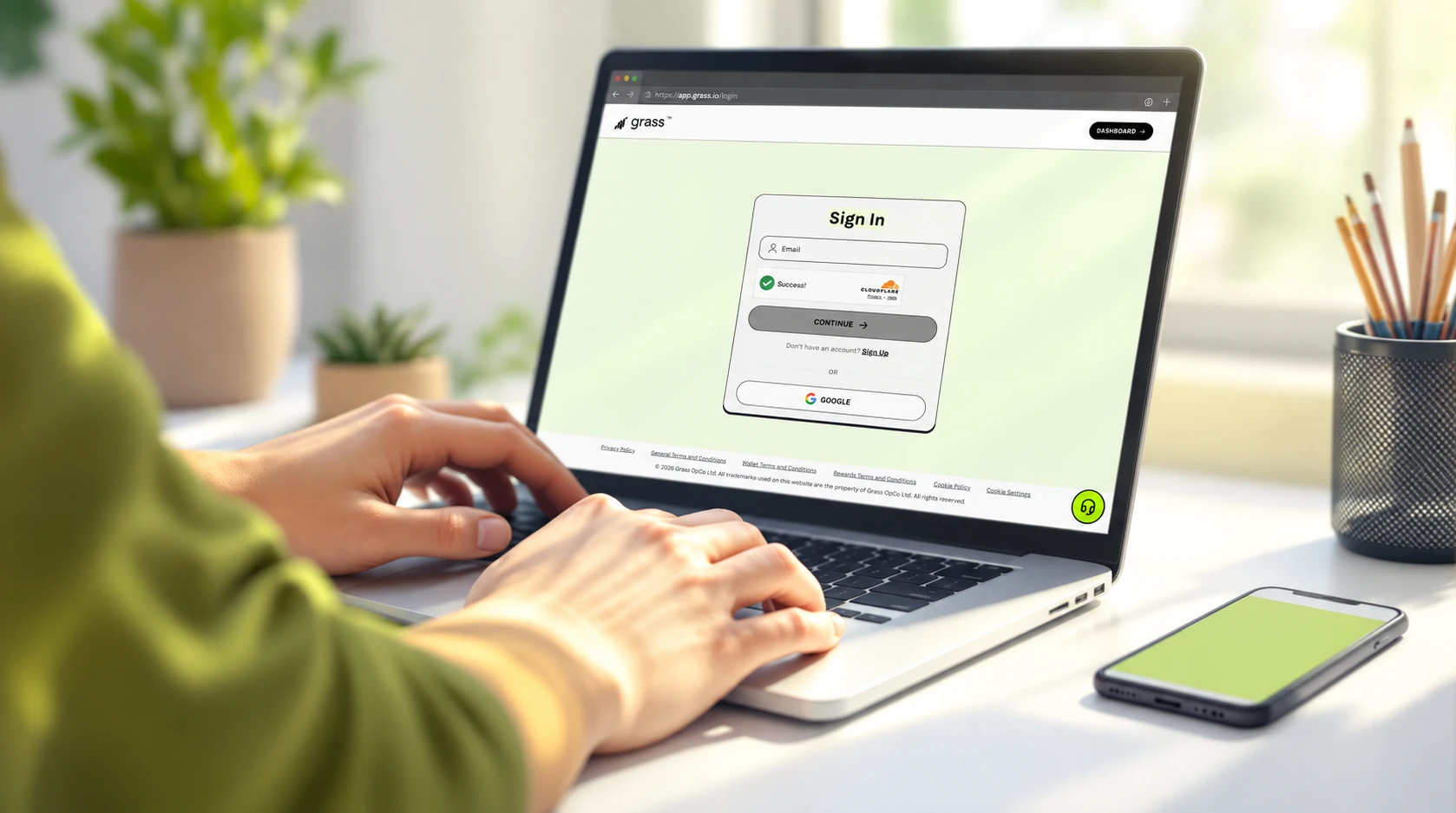
- Check the publisher name. According to the Google Play listing, the app appears under the developer "Grass Foundation," with the legal developer entity listed as Grass OpCo Ltd in Road Town, British Virgin Islands. A listing under any other name is a red flag.
- Know what setup requires. The same listing describes a three-step setup: download, create an account, then let the app contribute in the background. Nothing in that flow calls for a seed phrase or private key.
- Read every wallet prompt. If a site asks to connect or approve access to a wallet, stop and confirm you reached it from grass.io. Never share a seed phrase or private key with anyone.
- Report lookalikes. Users in the 2024 thread reported the fake ad to the project team. Reporting helps, although the thread noted the ad kept appearing.
I'd recommend treating the download link as the most important safety decision you make. Every protection described earlier assumes you are running the genuine app.
Who is behind Grass?
| Name | Role |
|---|---|
| Grass | The network and the app |
| Grass OpCo Ltd. | The legal entity behind the app listing |
| Grass Foundation | Holds the network assets; handles reward distribution and governance |
| Wynd Labs | Provides services to the network under an agreement with the Foundation; not its owner |
Accountability also shows up in the listing's written commitments. According to the Google Play Data safety section, the developer declares "No data shared with third parties," states that data is "encrypted in transit," and says users "can request that data be deleted." Support is listed at [email protected]. These are developer declarations, but they are specific, public and on record.
In practice, the download link matters more than any label. The takeaway: start at grass.io every time.
What is the bottom line on Grass safety?
Grass holds up when tested against specifics: it touches only unused bandwidth, its broad extension permission has an operational reason, and the clearest documented risk is a fake download.
That matters more each year. According to WRDW, citing Pew, nearly half of people in the U.S. say they are constantly on their phones. Devices that are always on are always connected, so what an app does in the background deserves real scrutiny.
In my view, the safety question is moving. Fewer people will ask whether an app reads their files. More will ask who uses the connection, and whether each claim can be checked. Grass already answers the first part with an identity check on every buyer. The second part is where every app will be judged.
Permission design points the same way. Even a solo developer's screen-time app now lets users grant location as a one-time permission. Store privacy labels, meanwhile, remain self-declared.
So my recommendation is concrete. Open grass.io, compare the install prompt against the permission table above, and note where the pause control sits before your first session. The questions readers ask most come next, starting with files.
What else do people ask about Grass safety?
Most questions come down to four things: what the app touches, which permissions it needs, whether the download is genuine, and how to pause or remove it.
No. The app uses only the unused bandwidth on your connection, meaning the capacity sitting idle at any moment, to carry public web requests. Your personal activity is kept structurally separate from that traffic. Files, photos, passwords, accounts and browsing history are outside its reach.
The browser extension asks to read and change data on all websites, which lets it handle public web requests in the background. On Android, the store declaration lists location, personal info and device or other IDs as data the app may collect. The desktop app runs outside your browser, so browser site permissions do not apply to it. I'd recommend reading each prompt as it appears rather than relying on any summary.
Yes. The developer's store declaration states that data is encrypted in transit. The network's described security stack also includes ZK TLS, short for zero-knowledge transmission layer security, which a 2025 explainer said verifies identity and data integrity without exposing privacy.
Grass holds AppEsteem certification, a check by an independent program that certifies consumer apps against standards for deceptive or unwanted behavior. That is stronger evidence than a self-declared store label. It is not a promise about every future version, so look up the current listing on AppEsteem's own site.
Grass is designed to use only idle capacity and to step aside when your connection is in active use. The evidence reviewed here includes no speed measurements, so the simplest test is your own. Run a speed test with the app paused, then again with it running.
Verified institutions. Every buyer must pass KYB (Know Your Business) or KYC (Know Your Customer) identity checks, and contributions are accessible only to verified clients. What they request is publicly available web information, not anything stored on your device.
Use three checks. Open your browser's extension settings or your phone's app settings to see the granted permissions. Open your system's activity or resource monitor to watch network use. Then pause the app and compare.
Start at grass.io and use its download links, and on Google Play confirm the publisher reads Grass Foundation. The product was once called GetGrass, and lookalike sites borrow that old name. Never enter a seed phrase or private key to install or run a node.
The app shares spare capacity, not other people's traffic, much like a friend using your Wi-Fi who cannot see what anyone else is doing. Because the connection is shared, ask your household first. One 2024 user report described some websites temporarily blocking a home connection after several bandwidth apps ran on it, with the blocks expiring after uninstall; the same year, the protocol was described as limiting activity per IP address. Run Grass only on your own device and your own connection, never on a work, school or campus network, and check any policy that applies.
You can pause the app at any time. To remove it, uninstall the desktop app through your operating system, remove the extension from your browser's extensions page, or uninstall the Android app from your phone's settings. The developer also states that users can request that their data be deleted.
No. According to Apple's App Store listing for "TOUCH GRASS: THE APP," that product "uses camera access to verify grass touching and location services to find nearby green spaces." Screen-time apps under that name ask for camera and location because their job is verifying a photo outdoors. Grass shares unused bandwidth and runs no iOS node.
Grass is a real network with a named legal entity, Grass OpCo Ltd., and a named Grass Foundation. The documented losses tied to its name came from fake lookalike sites, not the official app. In my view, transparency is the test: named entities, visible permissions and independent certification.
Written by
Maya Ellis
Contributor Education Writer
Maya Ellis writes Grass's getting-started and trust-and-safety guides.
Follow on XSummarize This Article With AI
Open this article in your preferred AI engine for an instant summary.