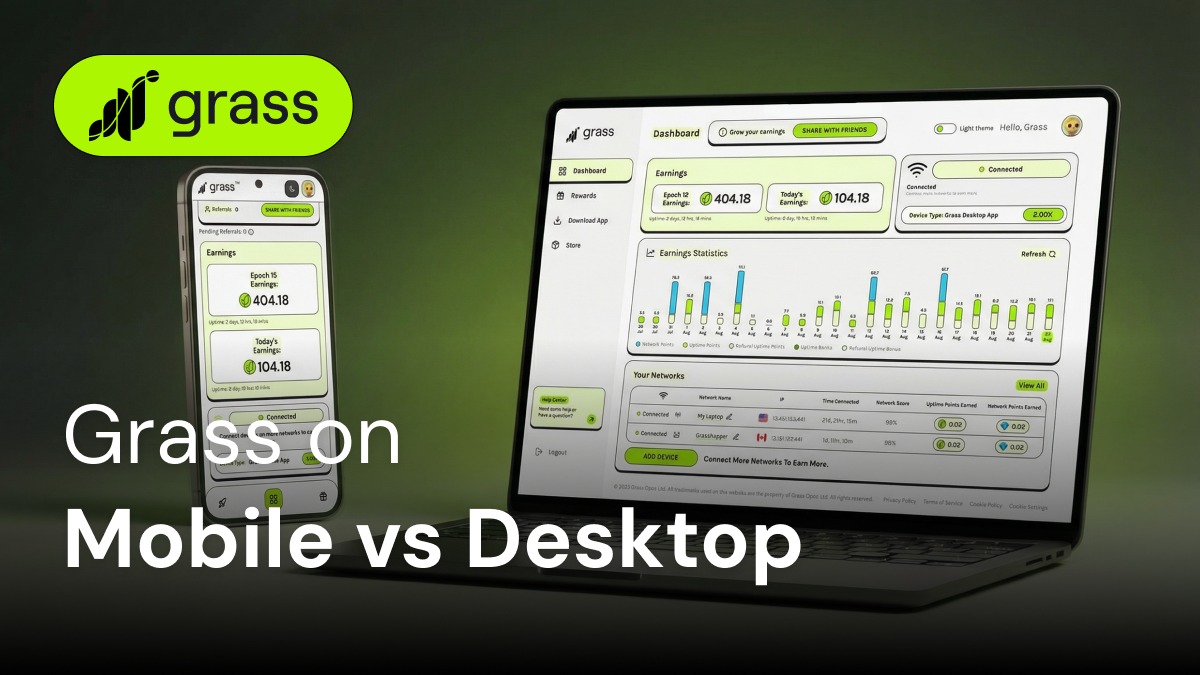
Grass initially debuted as a browser extension in 2023, but soon launched its desktop app in 2024. Just a year later, it swept into the Google Play store as an Android app, allowing users to install Grass on their home computers and/or their Android phones.
This new flexibility raises some important questions. What's the difference between running the Grass mobile app vs. the Grass desktop app? Is one option better than the other?
The short answer is that both the mobile and desktop app have their own strengths. By understanding how each one works, you’ll be able to optimize your use of the Grass platform and generate as many Grass Points as possible while sharing your unused internet.
Getting Started with Grass on Any Device
At its core, Grass works the same way whether you’re using a phone or a computer. The Grass app runs quietly in the background, sharing your unused internet with verified institutions. These partners, in turn, use your extra internet bandwidth for things like training AI models, checking prices in different geographic areas, or performing academic research.
In exchange for sharing your extra internet, you earn rewards in the form of Grass Points, which can eventually translate into Grass Tokens or USDC. To start earning Grass Points, though, you’ll need to download the Grass app on your phone and/or computer.
Setting Up Grass on Desktop
- Download the app onto your computer
- Once installed, it will connect automatically
- You’re all set!
Setting Up Grass on Mobile
- Visit the Google Play store on your phone and search for the Grass app, or just go to this link.
- Download the app
- Open the app, and it will automatically connect
- You should see a small icon on your status bar that shows when you’re connected
How Bandwidth Sharing Differs Between Mobile and Desktop
The core experience of the Grass app is very similar between your phone and computer, but there are some practical differences. Understanding the particulars of each platform will let you optimize your setup and earn the most Grass Points possible.
Triple the Uptime Points on Mobile
The Grass Android app comes with a significant bonus. You can earn 3x the Uptime Points compared to the Grass desktop app. You earn Uptime Points based on how long your device stays connected to the Grass network, making your extra internet available for use.
If your goal is to earn as many Grass Points as quickly as possible, the Grass Mobile app is the way to go.
Internet Speed and Connection Stability
One of the biggest benefits of running Grass on your desktop is connection stability. Most desktop computers are either connected to a consistent WiFi signal or actually hardwired directly into a router via Ethernet. This allows your desktop app to keep a steady and strong connection that can consistently share your internet through the Grass app and help you accumulate points.
Keep in mind that you can also connect your phone to your home’s WiFi or any accessible WiFi network, which will give you these same benefits.
Flexibility
Flexibility is where the Grass mobile app really shines. Your desktop ultimately stays at home, while your phone tends to go with you everywhere. This means you can keep your Grass Android app running throughout the day, earning triple Uptime Points while your desktop sits idle.
And let’s not forget that many people across the world are smartphone-only internet users. In fact, smartphones represent nearly 95% of all devices that access the internet worldwide.
Power and Battery
A key difference between the desktop and mobile app is that a desktop will run continuously without any battery concerns since your computer is plugged into a power source. This makes the desktop ideal for users who want a completely hands-off experience without thinking of charging.
However, the Grass Android app is designed with mobile users in mind. It’s optimized for low power usage, typically consuming just 5-10% of battery over a full day. The app also includes smart features like automatically pausing when your battery gets low to protect your device.
If you don’t typically run into low battery issues on your phone, you should have no problem keeping Grass humming in the background, earning you triple Uptime Points.
Data Plans vs. Unlimited Internet
Many desktop users enjoy unlimited home internet. But don’t worry if you have a mobile plan with strict data limits. All you have to do is connect your phone to local WiFi as often as possible, so you don’t use up your data while you run the Grass mobile app.
Another option is to upgrade to a mobile plan with unlimited data usage so you don’t have to worry about getting cut off before the end of the month.
Privacy and Security on Each Device
It can be a little nerve-racking to download a new app on your computer or your phone. However, Grass protects your privacy whether you’re using the Grass desktop app or the Grass mobile app.
According to the Grass privacy policy, it never accesses your browsing history or personal files. All it does is route traffic through your IP address. Grass is also certified by AppEsteem, a leading cybersecurity compliance auditor.
On your phone and your desktop, your personal data stays yours, always.
Choosing What Works Best for You
Both the Grass desktop and the Grass mobile app can be the right choice depending on your circumstances. Here’s how to pick the right platform for you.
The Grass Android App Works Best When You Want…
- The highest earning potential with triple Uptime Points compared to the desktop app
- Flexibility to earn rewards even when you’re away from home
- To contribute to the Grass network without keeping a computer running all day
The Grass Desktop App Works Best When You Want…
- A stable, always-on connection
- To run Grass on unlimited home internet without worrying about your data plan
- A set-it-and-forget-it setup where you don’t have to think about battery life
Combining Devices to Maximize Your Grass Rewards
Who says you can only run the Grass app on your phone or desktop? Many users want the best of both worlds and run the app on multiple devices to boost their Grass Points earnings.
A really cool feature of the Grass app is that if you connect multiple devices to the same WiFi network, Grass will default to the device that offers the best Uptime Points multiplier. So, there’s really no reason not to download the app on your desktop and phone.
Stay Connected Your Way
Grass mobile app or Grass desktop app? The beauty of the question is that there’s no wrong answer. Whichever app you choose, you’ll earn Grass Points and contribute to a fairer internet.
Ready to get started? Download the Grass app today for your phone, your desktop, or both!