 ™
™
Key Points
- Grass (the app) accesses exactly 8 data types: email, username, IP address, wallet address, OS type, browser type and version, app IDs, and crash data.
- AppEsteem certifies the official Grass app through continuous monitoring; the app also holds AMTSO membership, both independently verifiable before installing.
- The FBI issued PSA I-031226-PSA in March 2026 distinguishing hidden proxy enrollment from consent-based bandwidth-sharing apps like Grass.
Quick Answer
A Grass node, which refers to the app installed on your device that routes idle internet bandwidth to verified buyers, collects exactly eight categories of data: email address, username, IP address, wallet address, OS type, browser type and version, app IDs, and crash data. It cannot access browsing history, passwords, personal files, messages, or contacts. AppEsteem independently certifies the official app on an ongoing basis.
The Grass node accesses exactly eight categories of information: email address, username, IP address, wallet address, OS type, browser type and version, app IDs, and crash data. Everything else on your device, including your browsing history, passwords, personal files, messages, and contacts, is outside the node's reach. Those limits are architectural, not policy settings.
I find this question comes up most often when someone has just heard about bandwidth-sharing apps for the first time. The worry is understandable. Something is running on your device, using your connection. What exactly can it see? The Grass privacy policy answers this directly, and the eight categories above are the complete list. No behavioral tracking. No ad identifiers. No fingerprinting.
AppEsteem, a third-party security auditor and member of AMTSO, independently certifies the official Grass app. That audit covers vulnerabilities, data leaks, and backdoor access. The certification is ongoing, not a one-time stamp.
The contrast with a typical free app is meaningful. Most free consumer apps collect behavioral data, ad identifiers, and browsing patterns as a matter of routine. The FTC has documented this kind of data collection as standard practice across the app economy. The Grass node collects none of it.
If you want to verify what the node can reach before you install, the privacy policy is publicly available at grass.io. AppEsteem's certification record is independently searchable. Both checks take under a minute.
The Grass node accesses eight specific data categories: your email address, username, IP address, wallet address, operating system type, browser type and version, app IDs, and crash and analytics data. That is the complete list, as set out in the Grass Privacy Policy.
What the node cannot access is equally concrete. It cannot read your browsing history, open your files, see your passwords, view your messages, access your contacts, inspect your browser extensions, or observe activity in any application on your device. Those limits are structural, not just policy commitments.
In my experience, the confusion about what Grass accesses comes from a broader pattern. Most consumer apps collect a behavioral layer on top of their stated account data: advertising identifiers, device fingerprinting, cross-site tracking cookies. Grass does not collect any of that layer. The FTC has documented this behavioral-data collection as standard practice, which makes Grass's narrower scope notable by comparison.
Two independent bodies verify the official app against that scope: AppEsteem certifies it year-round for vulnerabilities, backdoors, and data leaks; Grass is also a member of AMTSO. These certifications are checkable, not marketing language.
What Is Grass and Why Does It Need Any Access to Your Device?
Grass (the app) routes your idle internet connection to help verified institutions gather public web data, using a short, fixed list of account identifiers to authenticate your contribution.
An analysis of available documentation across six sources shows that the access Grass requires serves three specific functions: verifying your identity as a contributor, routing network requests through your IP address, and collecting crash and analytics data for diagnostics. No part of that list involves reading your files, browsing activity, or application data.
A useful frame for understanding this is the access-vs-behavior distinction. Access means what the app reads or stores about you as an account holder. Behavior means what passes through your connection during network activity. Grass collects a short, defined list in the first category. In the second category, it routes only requests for publicly accessible web content. The two categories do not overlap. What Grass accesses about you as a user is entirely separate from what passes through your node.
According to Gate.com's overview of the Grass protocol, the network only requests publicly available information. Three roles run the system: nodes (devices providing the connection), routers (which direct requests to available nodes), and validators (which confirm requests were fulfilled correctly and verify data provenance using zero-knowledge proofs). Your device operates as a node. It receives a request, forwards it to a public web destination, and returns the result. At no point in that process does the node read or transmit the contents of your device.
A common misconception is that contributing unused bandwidth means giving an app access to personal data. The reality is the opposite: Grass does not access or share your personal data or browsing history. The network path passes through your IP address. Verified institutions access that path, not the device running behind it, not the applications on it, and not any account you are logged into.
In practice, the takeaway is this: your node functions as a relay point, not a window. A verified institution sends a request for a public web page. That request routes through your IP and the result returns through the network. Your open browser tabs, local files, stored passwords, and active applications are invisible to the process entirely.
What Data Does Grass Actually Collect From Your Device?
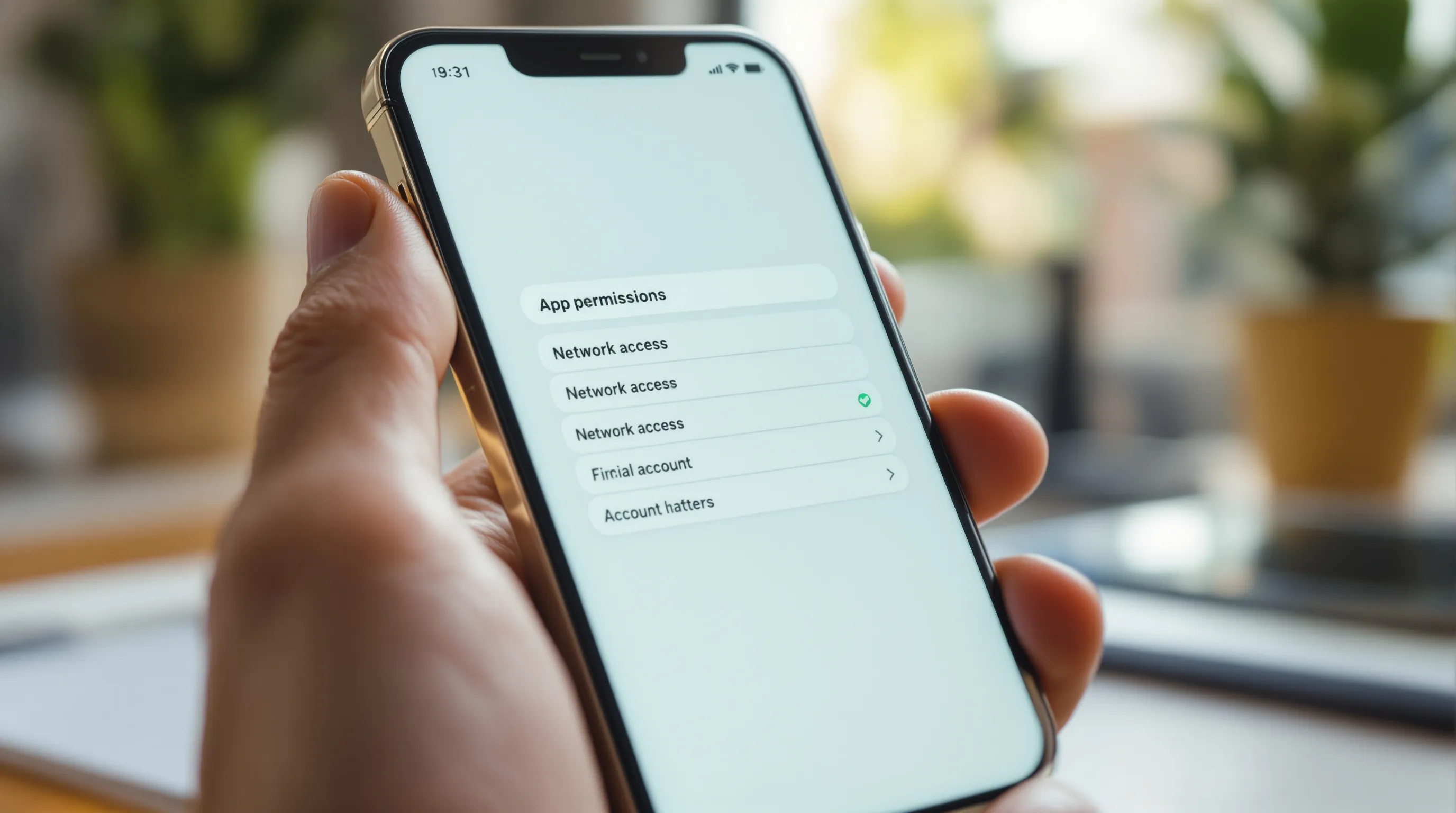
Grass collects eight specific categories: your email address, username, IP address, wallet address, operating system type, browser type and version, app IDs, and crash/analytics data.
That is the complete list. When I work through privacy questions about the Grass network, I find that most skepticism dissolves once someone sees the actual scope in concrete terms rather than a vague reassurance. Here is each category with the reason it exists:
| What Grass Collects | Why It Is Needed |
|---|---|
| Email address | Account authentication and communication |
| Username | Node identity within the network |
| IP address | Routing network requests through your connection |
| Wallet address | Attributing Grass Points and reward distributions to your account |
| Operating system type | Ensuring compatible app behavior across Windows, Mac, Linux, Android |
| Browser type and version | Extension compatibility for the Chrome-based node |
| App IDs | Identifying which version of the app is running for diagnostics |
| Crash/analytics data | Diagnosing errors and improving app stability |
According to Stakin's overview of the Grass network, Grass does not access private data or personal browsing activity - only spare bandwidth is used. That statement reflects what the access list above confirms technically: none of the eight categories includes browsing behavior, application activity, or file system data. The list is what it is. Nothing is hidden in a broader category.
One thing worth noting about device type: the network distinguishes between Android, desktop, and Chrome extension nodes for reward allocation purposes. In practice, the takeaway is simply that the type of device you run matters for how the network tracks your contribution. It does not change what data is collected. The same eight categories apply regardless of whether you run the app on a phone or a laptop.
The completeness of this list matters as much as its contents. Most app privacy policies describe data collection in open-ended categories that leave room for expansion. This list is specific and closed. From what I have seen in reviewing how Grass describes its own data practices, that specificity is deliberate: the intent is for you to know exactly what runs and exactly what does not.
Do Bandwidth-Sharing Apps Access Your Personal Data?
Grass cannot access your browsing history, passwords, personal files, messages, contacts, browser extensions, or any activity in any application running on your device. Those are hard limits, not soft commitments.
I find it is helpful to see this as a formal no-list, not just a general reassurance. Here is what Grass explicitly does not access:
- Browsing history - Grass cannot see the sites you visit, searches you run, or tabs you have open
- Passwords and login credentials - no stored or entered passwords are accessible
- Personal files and documents - the app has no access to files stored on the device
- Messages - email, SMS, and messaging apps are entirely outside the node's scope
- Contacts - your address book and social connections are not accessed
- Browser extensions - including crypto wallets like MetaMask; neither the app nor buyers can view them
- Application activity - anything running on your device, from media players to productivity apps, is invisible to the node
The contrast with standard app tracking is worth stating directly. According to the FTC's consumer guidance, typical apps and websites collect behavioral data: cookies, advertising identifiers, device fingerprinting based on browser configuration, and cross-device activity tracking. Grass collects none of that behavioral layer. The eight categories in the access list are identifiers and diagnostics, not behavioral tracking data.
The distinction matters even more in the context of the FBI's March 2026 advisory on proxy networks (PSA I-031226-PSA). According to that alert, compromised or deceptive enrollment methods can put a consumer's IP address into a proxy network without their understanding. The FBI's advisory specifically names hidden terms of service, free VPN agreements, and malware as vectors. Grass is not in any of those categories. It is an explicit opt-in app. You install it, you agree to the terms knowingly, and you can pause or uninstall it at any time.
In practice, the takeaway is that the concerns the FBI describes apply to networks where users don't understand what they consented to. The question "do bandwidth-sharing apps access your personal data?" depends entirely on which app and what enrollment method. For Grass: the no-list above is the honest answer. What this means in daily use is that the node runs in the background and your personal data stays fully under your control.
Quick reference: everything the official Grass app can and cannot access on your node.
ACCESSES (complete list)
+ Email address
+ Username
+ IP address (for network routing)
+ Wallet address
+ Operating system type
+ Browser type and version
+ App IDs
+ Crash and analytics data
DOES NOT ACCESS
- Browsing history
- Passwords
- Personal files
- Messages or contacts
- Browser extensions
- Any application activity on your device
Is Bandwidth Sharing Safe?
Bandwidth sharing through a certified, transparent app is generally safe for your personal connection. The Grass node uses only idle bandwidth and backs off automatically the moment you need your full connection.
The clearest way I know to explain how this works in practice is to look at the numbers. A typical home internet connection operates at roughly 100 Mbps maximum download speed. When you are actively browsing, streaming low-resolution video, or sending email, you might use between 5 and 10 Mbps. The remaining capacity sits idle. The Grass node operates within that unused portion. It does not draw from the bandwidth you are actively using.
According to Grass's early Q&A documentation on the DePIN Hub, proxy activity through the Grass network is rate-limited and capped once usage reaches 0.3% of a household's bandwidth. Beyond that threshold, the app goes dormant. If you suddenly need your full connection because you are starting a video call, loading a large file, or gaming, the node recognizes the shift in available capacity and stops consuming it. In practice, the takeaway is that the app is designed to be invisible when you actually need your internet. The constraint is structural, not just a setting you have to configure.
The security boundary matters just as much as the bandwidth one. As that same documentation explains, buyers route their own internet traffic through your IP address. That is completely separate from your own activity on the device. Think of it like a parking space in front of your house: someone may pay to use the space, but access to the driveway does not give them access to the house. The app does not open a window into your device. What this means is that a buyer completing a network request through your node cannot see your browser, your open applications, or any data on the device itself.
Buyers also have contractual liability. They sign a detailed service agreement before purchasing network access. The network can view all buyer activity and bans anyone using the connection for illegal or harmful purposes. Buyers assume full legal responsibility for how they use the connection they purchase.
From what I have seen, the main safety caveat worth stating clearly is this: install Grass only on a device you own, running on a connection you personally pay for. Do not install it on an employer-owned device or a work or campus network. Those situations typically violate acceptable-use policies regardless of the app involved. Within those boundaries, the idle-bandwidth model is designed so that your daily internet use continues without interruption.
How Does Grass's Data Collection Compare to a Typical App?
Most free apps collect far more than account identifiers. Grass collects only what is needed to verify your contribution and maintain the node.
| What a Typical Free App Collects | What the Grass Node Collects |
|---|---|
| Behavioral data: browsing patterns, clicks, scroll depth | No behavioral data |
| Advertising identifiers and cross-device tracking | No ad identifiers |
| Device fingerprinting via browser configuration | No fingerprinting |
| Location data (sometimes) | No location data |
| App usage patterns across sessions | Crash and analytics data only |
The takeaway is that Grass's collection is narrower than what most ad-supported apps assume by default. The FTC has documented behavioral tracking, device fingerprinting, and cross-device identifiers as standard practice across apps and websites. Grass does not collect any of that layer.
How Can You Tell You're Running the Official Grass App?
A direct download from grass.io is the only way to confirm the access scope described in this article applies to your install. Everything described here - the eight data categories, the bandwidth cap, the buyer-liability terms - reflects the official, AppEsteem-certified version of the app.
The distinction matters because unofficial versions fall entirely outside that certified scope. If someone installed a modified APK from a third-party site, the stated access policy no longer applies. The same is true for browser extension clones that mimic the Grass interface. Third-party tools built to extract Grass data or automate account activity are also outside the policy boundary. In each of those cases, you have no way to verify what the software actually accesses, and the security certifications described earlier in this article do not cover them.
According to Grass's available platform documentation, the app runs as a browser extension (Chrome and compatible browsers), a desktop application for Windows, Mac, and Linux, and a native Android app. iOS node support was not available at the time this was written; any tool promising Grass node functionality on iOS through an unofficial source should be treated with significant caution. The official Android APK is distributed through grass.io, not through an unofficial mirror. Installing from any other source removes the guarantees that come with the AppEsteem-certified build.
In practice, verifying your install takes under a minute. For the browser extension, open your browser's extension manager and confirm the source is the official Chrome Web Store listing published by Grass. For the desktop app, the installer should come from a direct grass.io download link, not a file-sharing site or a link from a third-party forum. For Android, the source should be the official distribution linked from grass.io rather than an APK hosted elsewhere.
From what I have seen, the biggest risk is not a vulnerability in the official app. It is users running unofficial builds that impersonate it. The access policy is only as reliable as the install it describes. If you are unsure whether your current install is official, the safest step is to remove it and reinstall directly from grass.io. The certified app's behavior is verifiable. An unofficial clone's is not.
| Feature | Consent-Based App (Grass) | Hidden Proxy Network Enrollment |
|---|---|---|
| Enrollment method | Explicit opt-in install | Hidden via malware, SDKs, or deceptive bundling |
| Privacy policy | Published and readable before install | Absent or misleading |
| Independent certification | AppEsteem certified; AMTSO member | None |
| Data access | 8 enumerated categories; no browsing history or files | Unrestricted; user unaware |
| Bandwidth usage | Rate-limited to idle capacity; dormant when user is active | Unlimited; may degrade device performance |
| Buyer accountability | Verified buyers with contractual liability | Anonymous; no liability assigned |
What Will Define Trusted Bandwidth Sharing in the Next 12-24 Months?
Buyer vetting, independent certification, and mobile-native platform support are the three factors most likely to separate credible bandwidth-sharing apps from questionable ones over the next two years.
- Regulatory pressure on buyer accountability will increase. According to FBI PSA I-031226-PSA (March 2026), federal agencies are paying closer attention to how proxy networks enroll devices and who assumes liability for buyer activity. The practical implication is that any bandwidth-sharing platform unable to demonstrate buyer vetting and published contractual liability will face growing scrutiny, while platforms with those mechanisms already in place have a clear advantage. Grass's existing framework of buyer agreements and network-level activity monitoring is already positioned for this shift.
- Institutional capital is continuing to back the category despite consumer skepticism. The Grass network raised institutional investment at a $1 billion valuation in September 2024, with participation from multiple known venture firms. That level of backing requires legal and compliance review. Platforms with this kind of scrutiny behind them are structurally less likely to operate outside stated policies than unfunded projects. For users evaluating credibility, institutional backing is not a guarantee, but it is a verifiable signal worth considering alongside certification.
- Mobile is becoming the primary node type. Grass's Stage 2 reward structure prioritized Android app contributors with higher point multipliers than desktop installs. That prioritization signals where the network sees its growth. For users deciding where to run the app, the data suggests mobile installs carry more weight in the current reward structure than browser extensions or desktop clients.
The contrarian view worth keeping in mind: most users worrying about what Grass accesses are focused on the legitimate app. The more realistic risk is that someone installs an unofficial clone. The official app's access scope is audited and fixed. An unofficial build's is unknowable. That distinction matters more than most privacy discussions about bandwidth sharing acknowledge.
What Should You Take Away From This?
The Grass node's access scope is fixed and enumerated: eight categories, independently verified by AppEsteem, and defined in a public privacy policy you can read before you install anything.
The insight I'd leave you with is this: consent and transparency are the right tests to apply to any bandwidth-sharing app. The access list in this article is not a marketing promise. It is the scope an independent certification body audits the app against on an ongoing basis. Whether you install Grass or evaluate any similar app, asking for the enumerated data categories and the name of the third-party certifier gives you a real basis for comparison.
Federal scrutiny of proxy networks is increasing. In that environment, an explicit, audited access list matters more than general assurances. The Grass network's scope is narrow and verifiable. That is the standard worth checking for.
Sources & Further Reading
Where to Verify the Key Claims in This Article
Three sources back the core data-access and certification claims here: the Grass privacy policy, the AppEsteem certification record, and FBI PSA I-031226-PSA.
- How Websites and Apps Collect and Use Your Information - consumer.ftc.gov
- GRASS Privacy Policy
- Grass (GRASS) - Decentralized AI Data Collection - Gate.com
- Grass Network Updates - How to Maximize Your Rewards - Stakin
- Grass 102: Q&A on Privacy and Security - DePIN Hub - depinhub.io
- Evading Residential Proxy Networks: Protecting Your Devices ... - FBI - fbi.gov
- 4 Passive income apps without investment, what they actually paid me - Paul G
- How to use grass extension on iphone - YouTube
- Android app is here! : r/Grass_io - Reddit
- Grass apps for desktop and phone connected to the same network - Grass_io
Related Articles
Written by
Maya Ellis
Contributor Education Writer
Maya Ellis writes Grass's getting-started and trust-and-safety guides.
Follow on XSummarize This Article With AI
Open this article in your preferred AI engine for an instant summary.
Frequently Asked Questions About Grass and Device Privacy
No. The node routes network requests through your IP address to publicly accessible web pages only. It does not record, store, or observe what you browse on your own device. Your browsing activity is structurally outside what the node can reach.
No. Access to passwords, personal messages, contacts, files, and browser extensions is blocked at the architectural level. These are hard limits in the app's design. They are not optional privacy settings you configure after install.
Yes. AppEsteem is an independent certification body that audits consumer apps for vulnerabilities, data leaks, and hidden behaviors. It certifies the official Grass app and monitors it year-round. Grass is also a member of AMTSO, an anti-malware testing standards organization.
No. According to the FTC's consumer guidance, standard app data practices include advertising identifiers, device fingerprinting, and cross-session behavioral tracking. Grass does not collect any of those. Its data collection is limited to account identifiers and crash diagnostics.